Amanot Foods
A WooCommerce food store with Elementor landing pages for ads, a CartFlows checkout, custom product variation cards and Bengali thank-you pages.
// What I built
Move your store to WooCommerce without losing products, customers or search traffic, or get a broken store taking orders again. Planned, backed up and tested before customers notice anything.
// At a glance
What the work covers
Not sure it’s the right fit?Ask me
// In short
Choose a migration when you are moving a store from Shopify, Wix, Squarespace or another platform to WooCommerce, or to a new host. Choose a rescue when your WooCommerce store is broken, slow or not taking orders. If the store works but sells too little, Checkout & Conversion fits better. MD Shamim Mahmud migrates products, customers and supported order data with redirects, and repairs broken WooCommerce stores on a backup.
By MD Shamim MahmudUpdated
// Who it’s for
Store moves and store problems both cost sales every day they drag on. These are the usual starting points.
Monthly fees and app costs keep rising and you want to own your store.
Orders fail, payments don’t confirm or customers get errors.
Order and password emails go missing or land in spam.
Pages and the admin are slow, especially with many products.
// What’s included
Migrations and rescues both start with a full backup. Paid migration tools or plugins, if needed, are listed separately.
Your current store backed up before anything changes.
Products, variations, customers, orders, coupons and pages listed.
Supported data mapped and imported into WooCommerce.
Old product and category URLs redirected to the new ones.
Gateways and shipping rules set up and tested.
Conflicts, fatal errors and broken templates found and fixed.
SMTP set up so order emails reach customers.
Real test orders through each payment method before launch.
// How a store move works
Products, customers and orders are moved in a set order and checked at each step. Your old store keeps selling until the new one is confirmed.
Backup firstRedirectsTest orders
// How it works
You approve the plan and check the new store on staging. The switch happens at a quiet time.
What you’re moving from, what must come across and what’s broken.
Day 1Data map, redirect plan, switch date and a written quote.
Before work startsData moved or problems fixed on a staging copy.
During the projectYou compare products, prices and test orders on staging.
Before the switchStore live, redirects tested and first orders watched.
Switch day// Stores I’ve built
WooCommerce and online stores I built, including checkout and order flows tested before launch.
 Hover to scroll
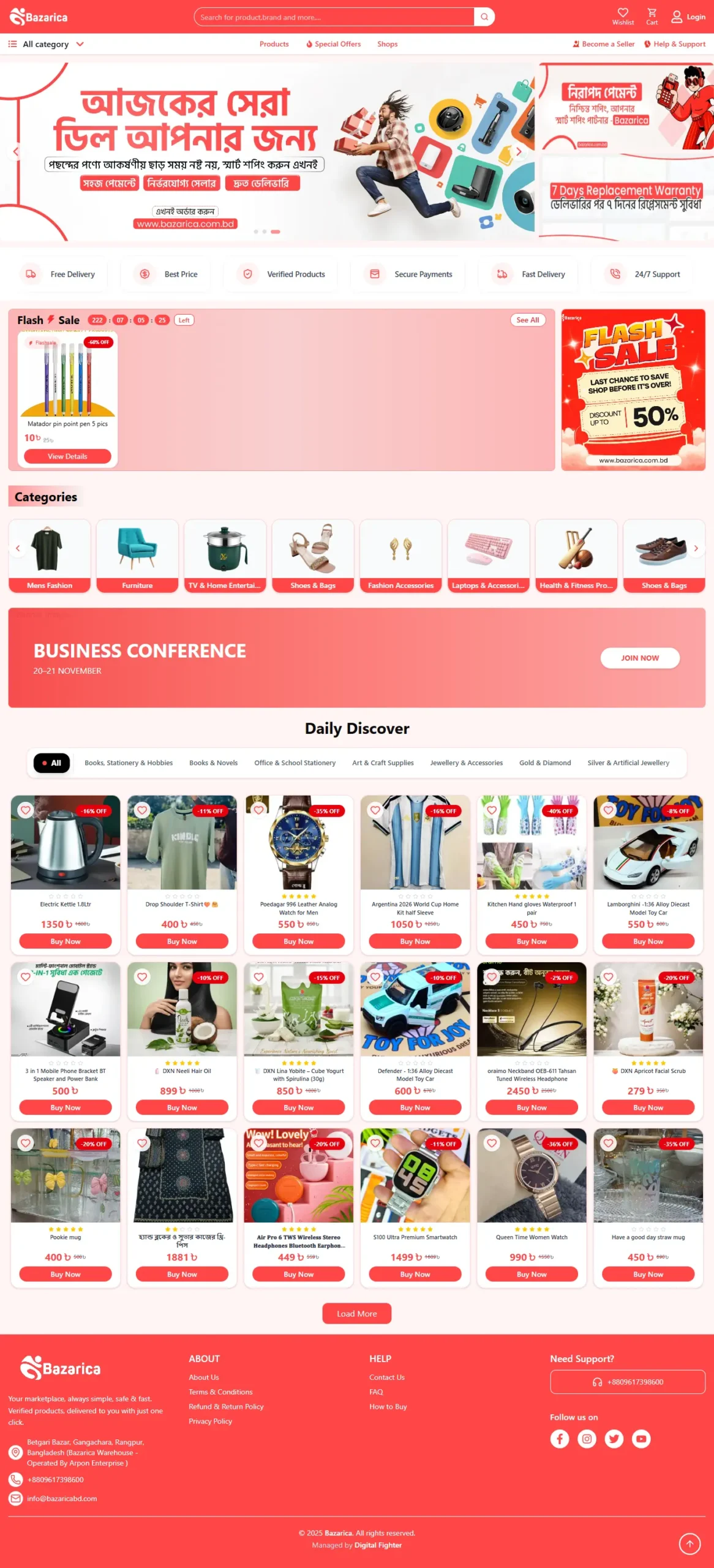
A WooCommerce food store with Elementor landing pages for ads, a CartFlows checkout, custom product variation cards and Bengali thank-you pages.
 Hover to scroll
A modern online shopping platform built for product discovery, category browsing, promotions and a smooth customer shopping experience.
 Hover to scroll
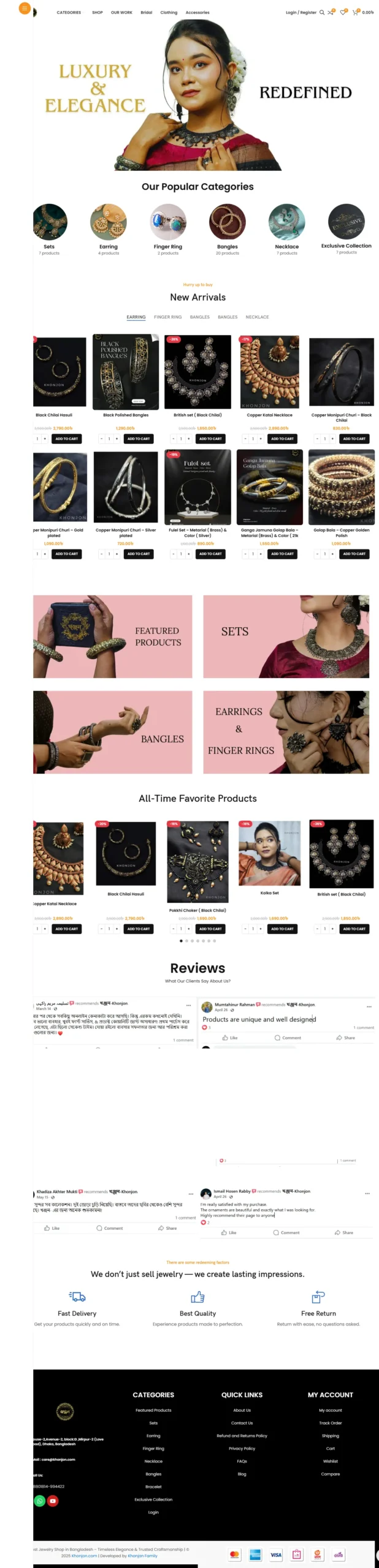
A WooCommerce fashion store structured for product showcase, new arrivals, category browsing and a clean cart and checkout flow.
 Hover to scroll
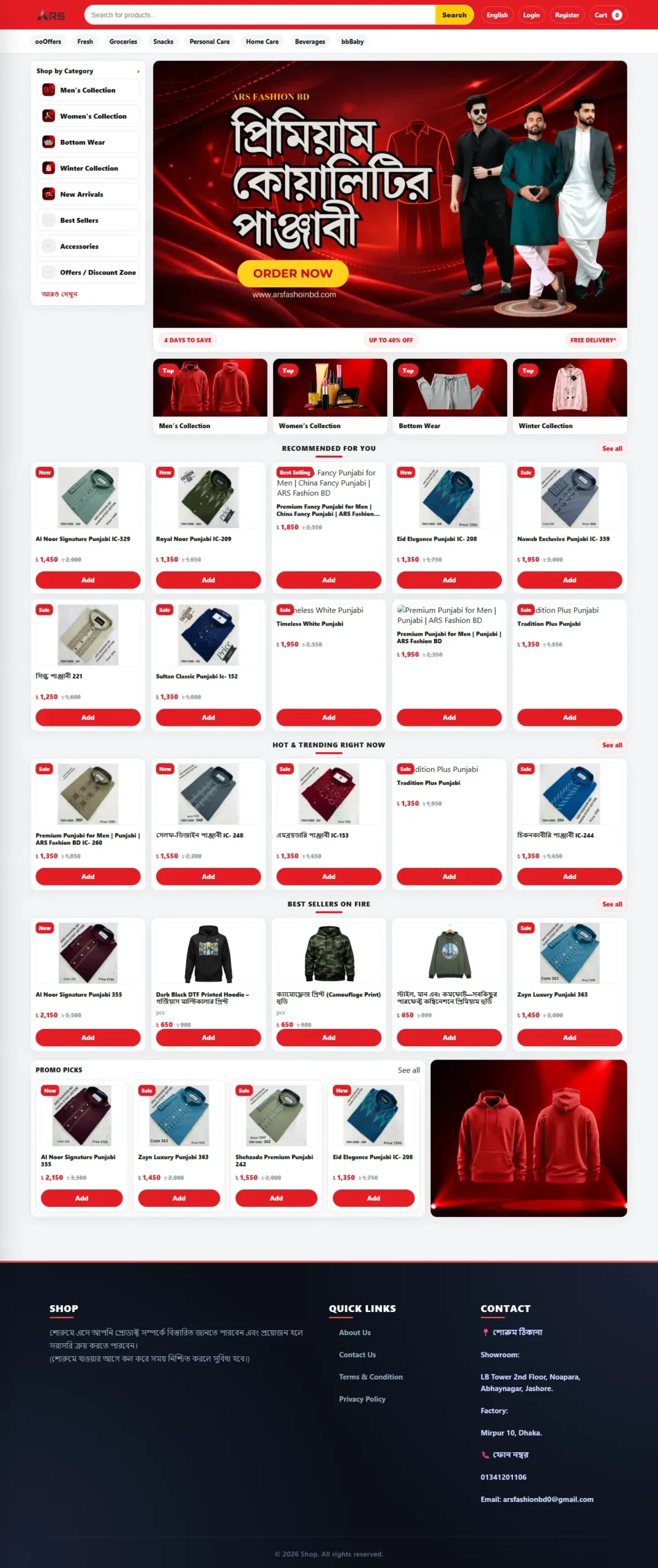
An online jewellery store that presents each piece clearly, with collections that are easy to browse and a simple path to order.
 Hover to scroll
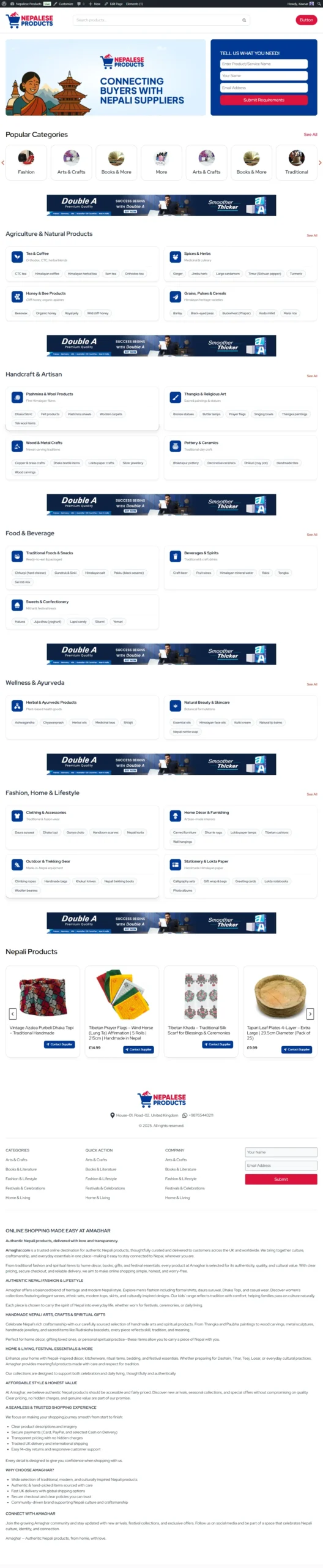
A fashion store built around clothing collections, clear product pages and an easy path from browsing to placing an order.
 Hover to scroll
An affiliate website that presents products and offers clearly, helping visitors compare options and reach the right store to buy.
// Pricing
Fixed starting prices, about 30% below what comparable freelancers charge. Every job starts with a full backup.
Fix a broken WooCommerce store
From $199
Comparable freelancers: around $300 ≈30% less
A store that’s throwing errors, failing orders or not sending emails, fixed.
Up to 500 products
From $549
Comparable freelancers: around $800 ≈30% less
Your store moved to WooCommerce, with data checked and redirects in place.
500+ products or complex data
Quoted
After a free call
Big catalogues, subscriptions, multi-currency or custom integrations.
Progress updates, invoices and receipts are shared with you in one place, so you always know where the work and payments stand.
Paid migration tools, plugins, hosting and payment gateway fees are listed separately in your proposal. Market comparison based on public freelance price lists, October 2026.
Returning client, or referred by one? Ask about your discount
// Before you decide
Most broken stores can be repaired. A rebuild makes sense when the store has been patched so often that every update breaks something.
| Rescue (fix in place) | Rebuild or migrate | |
|---|---|---|
| Best when | A few clear problems | Constant breakage, or a platform you want to leave |
| Time | Days | A couple of weeks |
| Data | Stays where it is | Moved and checked |
| Starting price | From $199 | From $549 |
Missing something? We can sort it out together on the first call.
// FAQ
What owners ask before moving or repairing a store.
 MD Shamim MahmudWooCommerce developer
Quick answers
MD Shamim MahmudWooCommerce developer
Quick answers
Tell me where the store is now and what’s wrong. I’ll reply with a plan and a fixed price.
Often added to a migration
Updates, backups and checkout tests every month.
Indexing and redirects checked in depth after the move.
Improve the checkout while the store is being moved.
Other eCommerce services:WooCommerce Store DevelopmentCheckout & ConversionStore Care PlanAll eCommerce services